This past week, I dove head-first into the wild world of AI video—and wow. It’s insane to think how far we’ve come. A few years ago, this stuff looked like cursed TikTok filters. Now? We’re basically knocking on 2026’s door and the video quality is chef’s kiss 🤌✨.
Will Smith Ai video eating spaghetti in 2022 is a great example
But here’s the real talk:
AI video still isn’t “make a full movie in one shot.” You’re basically locked into 7–12 second bursts—tiny micro-scenes you have to stitch together like a digital quilt. Making anything longer than a few seconds? It’s doable… but buckle up. You’re gonna need patience, caffeine, and maybe some therapy.
Here’s what I learned this week—and the exact tools I used. Enjoy the ride 🚀🍿
Quick blurb: AI video is magical, but we’re still in the “clip-era.” Long-form is coming… just not here yet.
I just dropped some dope albums (See Below)
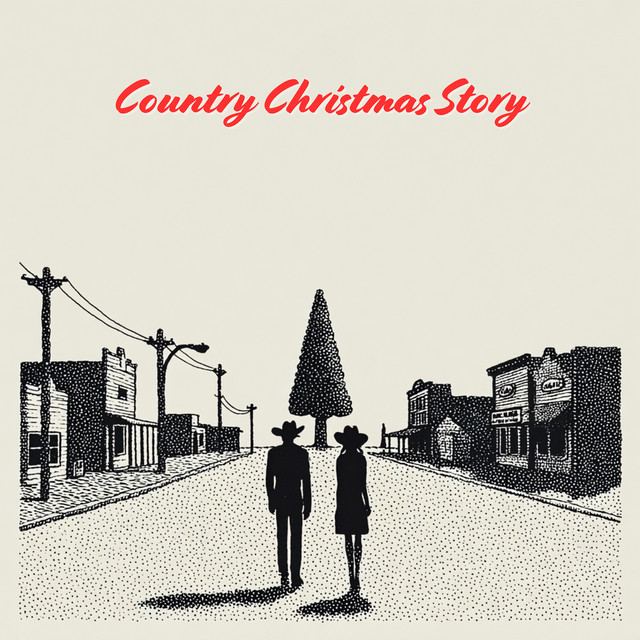
Naturally, my next thought was: "How do I make a killer music video without a million-dollar budget?"
So, I went down the rabbit hole. I spent weeks testing the bleeding edge of AI video tools.
I started with a single frame generated in Minuet or Nano Banana (my go-to apps). The Prompt: "A country Santa (with a cowboy hat on) on the dance floor in a country-themed bar doing a line dance."
Here is the breakdown of what I found, the winners, the losers, and the one "Mental Model" you need before you start.
📸 The Core Prompt I Used
Every video below came from this exact prompt:
“A country Santa (with a cowboy hat on) on the dance floor in a country-themed bar doing a line dance.”
Yes. I committed.
Yes. It was worth it.

⭐ My Rating System (aka: Where AI Video Is Really At)
Before we dive in, two quick notes:
Even with AI, not planning your shots makes everything 10x harder.
If you’ve never made a film before (I went to film school 🙋♂️), a shot list is basically the visual version of a script. It forces your brain to stop winging it.
⏱️ Music Videos Take Time
A 3–4 minute video can still take forever to piece together.
Not as long as shooting for real—but still… a long time.
To help with this, I built something called CineScript Studio—a tool to plan AI videos like a pro. It’s in testing and releasing soon for free. If you want early access, reply to this email. I’ll hook you up.
🎬 The AI Video Apps I Tested (Chaos Included)
Below are my honest takes, full transparency, star ratings, and thoughts after pushing each tool to its limit with our line-dancing Santa.
🟦 1. Runway — ★★★★☆ 3.5/5
The smooth operator with commitment issues.

Runway is the easiest way to get high-quality footage that looks like an actual movie. The downside?
👉 Character consistency is still a mess.
Santa starts looking like a mall Santa… then a rancher… then a guy named Kyle on his lunch break.
As I wrote this, they dropped Gen 4.5, so a leap forward is probably coming.
🎯 Good for: Real filmmaking workflows
⚠️ Watch out for: Characters that evolve like Pokémon mid-scene
🤖 2. Grok/X Video — ★★☆☆☆ 2.5/5

The fastest… and also the most “meh.”
This thing is stupid easy. It might become huge once they add more controls—but right now it's basically “push button → receive vibes.”
🎯 Good for: Quick tests, zero-friction experimenting
⚠️ Watch out for: Not much real control
🎨 3. Midjourney Video — ★★★☆☆ 3.1/5
Image wizards trying to become video directors.

Midjourney is still magic for still images—so if you start your frame there, animating it is chef’s kiss.
But…
👉 Character consistency is even harder here
👉 Controls are limited
👉 All your scenes feel like they’re from different movies
Still, if you already pay for MJ, it’s a fun button to press.
Examples:
MB_country_Santa_7885d666.mp4
MB_country_Santa_5ed5a4d6.mp4
🟣 4. Higgsfield / Freepik Models — ⭐⭐⭐⭐⭐ 5/5

The secret weapon.
This combo gives you access to powerful models with shockingly strong character consistency tools.
You pay for the power—some platforms using these models get pricey—but for what you get?
🔥 Easily the strongest option today.
🎯 Good for: Real production, longer scenes, repeatable characters
⚠️ Watch out for: Your credit card bill
🟡 5. Google Flow (Veo 3) — ★★★★☆ 4.6/5

This one made me feel like a real director.
Flow gives you an actual timeline and lets you extend scenes, tweak structure, and build fuller cinematic moments.
It feels like you're editing inside a miniature Hollywood.
🎯 Good for: Anyone who wants control, not just vibes
⚠️ Watch out for: Occasional bizarre facial mutations (Veo loves doing this)
🎤 Final Takeaway
AI video is so close to being unbelievable… but still frustrating enough to make you question your life choices.
If you want the best today:
➡️ Higgsfield
➡️ Google Flow
If you want the easiest:
➡️ Grok Video
If you want the most cinematic:
➡️ Runway
And if you want raw chaos:
➡️ Midjourney